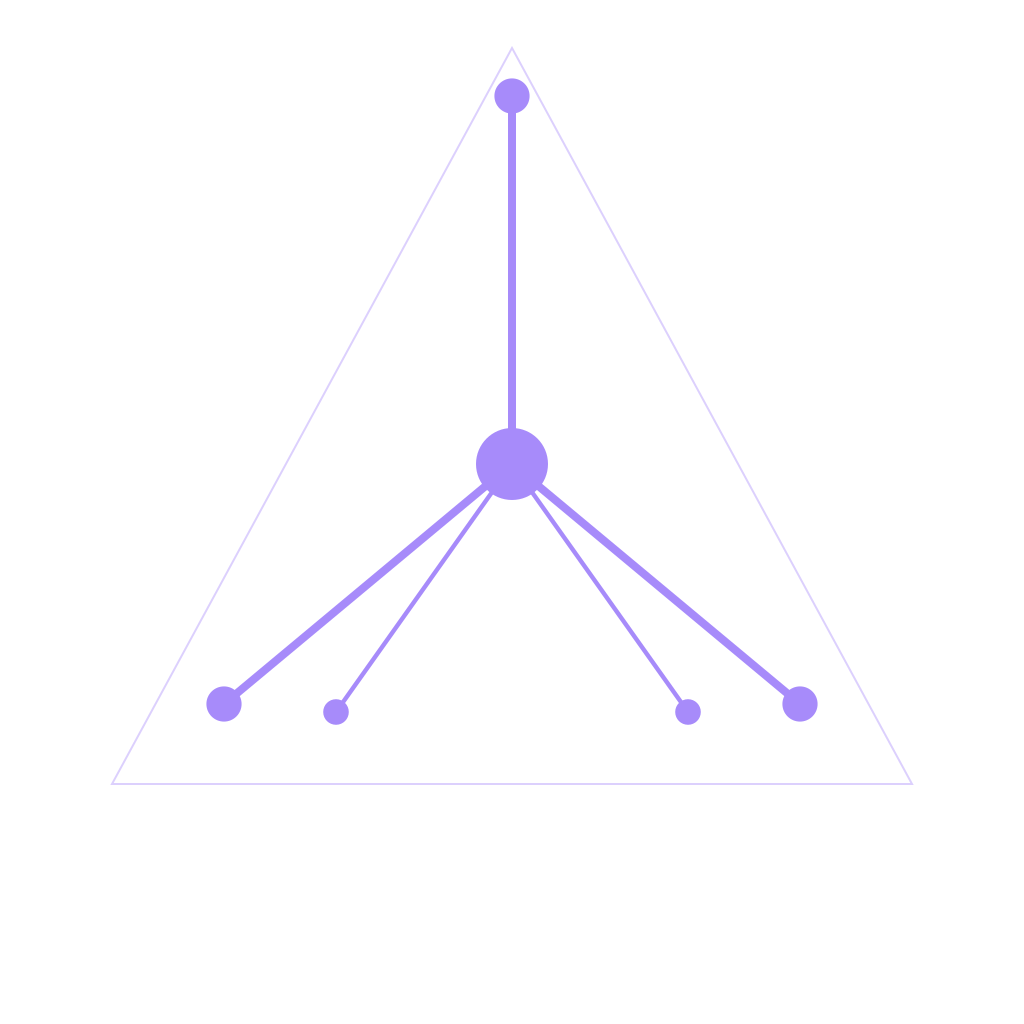
Components
synapd
The local LLM inference daemon (llama.cpp). It owns the model — every other component reaches it over a Unix socket rather than linking llama.cpp itself. See Architecture for the protocol.
systemctl status synapd
The model
The ISO carries no model since 0.2.8, so on live media synapd starts in
shell-assist mode with nothing to load — syn status reporting
"model ✗ not installed" there is expected, not a fault. The installer asks
which model to download onto the target: Mistral 7B Instruct (Q4_K_M, ~4.4 GB,
recommended), Phi-3 Mini, Qwen2 0.5B, or none. archiso/build.sh --with-model
puts one back on the image.
To drop one in by hand:
cp your-model.gguf /var/lib/synapd/models/synapse.gguf
systemctl restart synapd
Any GGUF that llama.cpp can load works. Mistral 7B Instruct is what the prompts are tuned against — swapping models may need prompt work.
The download catalogue
Control panel ▸ System ▸ AI model lists the most-downloaded GGUF text-generation repos on Hugging Face, live, and can fetch one straight into synapd's models directory. Nothing is downloaded unprompted — the panel offers, you choose.
The list is fetched once and then believed for six hours, so opening the
panel repeatedly in an afternoon is a single request. Past that the next open
re-fetches, which is how a model released since you logged in becomes findable.
r in the panel forces it immediately, along with a rescan of what is already
on disk.
⚠ Previously the list was fetched once per session. That reads as harmless until you remember synui is the session: a machine left logged in for a fortnight went on offering whatever was popular the day it booted.
GPU offload
The llama.cpp libraries synapd links are packaged per backend; each GPU build
provides + conflicts synapse-llama, so pacman refuses a silent downgrade
to the CPU build. That design exists because of the bug below.
| Package | Hardware | Backend | Notes |
|---|---|---|---|
synapse-llama |
any | CPU | the default; what the ISO ships |
synapse-llama-cuda |
NVIDIA | CUDA | hard-links libcuda.so.1 — cannot start without the driver, so never on the ISO |
synapse-llama-vulkan |
AMD / Intel | Vulkan | links only the Vulkan loader; one build runs on any AMD (GCN/RDNA/APU) or Intel GPU, and loads even with no GPU (falls back to CPU) |
syn-install swaps in the right one for the detected card (-cuda on NVIDIA,
-vulkan on AMD/Intel); switch by hand any time with the AI backend row or
synui-ai-backend gpu. Vulkan is the portable AMD/Intel choice — no
per-architecture compile and only the mesa ICD at runtime — and is competitive
with ROCm for token generation. ROCm/HIP stays an opt-in for a known-supported
AMD card: build.sh --gpu=rocm.
Verify it. Never assume it.
# NVIDIA / CUDA:
grep -c nvidia /proc/$(pidof synapd)/maps               # 0 = you are on the CPU
# AMD / Intel / Vulkan:
grep -Ec 'libvulkan|radv|amdgpu|libggml-vulkan' /proc/$(pidof synapd)/maps
A log line claiming GPU offload is not evidence. Check the mapped libraries of
the running process (needs sudo — synapd runs as its own user).
The GPU saga (resolved 2026-07-11, 37ce3da) — 33/33 layers on CUDA0
synapd ran on the CPU for the entire life of the project while appearing to be on the GPU. Rebuilding CUDA alone would not have fixed it. There were three stacked silent failures:
- Unowned
.sofiles in/usr/lib— hand-cp'd at some point, owned by no package, silently winning theld.socache over the real build. ld.so.confpointed at$HOME— so even the right libraries resolved from the wrong place.detect_gpu_layers()returned a hardcoded28, derived from anlspciprobe rather than from the GPU. This is why it stayed invisible: the number looked plausible, so nothing ever contradicted the assumption.
The lesson is #3. A plausible hardcoded value is worse than a crash — it produces a system that lies to you consistently.
Building CUDA
llama.cpp pinned at b10241, with a CCCL 3.4 cub patch (CUDA 13 broke
the API). Verified clean with gcc 16 + nvcc 13.3.
The ISO ships a CPU build on purpose. A CUDA-linked
synapdneedslibcuda.so.1, which doesn't exist on a machine with no NVIDIA driver — it would fail to start on most hardware.build.shwith no--gpuflag (the ISO default) builds CPU-only withGGML_NATIVE=OFFso it runs on baseline x86-64. See Building and Packaging.
VRAM and game mode
Game mode (Super+G) asks synapd to release its model — a
SLEEP message on the way in and a WAKE on the way out. The daemon stays up,
so retrieval keeps answering and chibi's memory works through a game; what goes
away is the chat model, and with it the VRAM, the RAM the weights sat in and the
cores that would have answered from them.
⚠ Released, not re-fitted. synui 599 briefly sent
DEMAND highinstead, which only raises the VRAM floor the offload policy defends. llama.cpp has no live migration, so shedding layers means reloading at a smallern_gpu_layers— the weights land in system RAM and run on the CPU. That is the right trade when the desktop is busy and somebody still wants an answer, and the wrong one for a game, which competes for all three.DEMANDremains the API for the first case.
Three bugs worth knowing, all silent:
- The old
systemctl stopfailed on polkit —synapdis a system unit and the stop was a fire-and-forget spawn, so it silently did nothing and synapd kept the VRAM. It went throughsudo -nand a dedicated/etc/sudoers.d/synapd-gamemodeafter that; a message over synapd's own socket needs neither. - The stop also killed
synnet, which carriedRequires=synapd. It isWants=now, sosynnetsurvives game mode and reconnects on its own. - And it took the retrieval embedder with it — a separate 274 MB model that was never the GPU pressure — so chibi's memory went dark for the length of every game, while three comments in two files promised it could not.
RAM and the cores, too
The same watcher looks at the machine as well as the card, because the VRAM policy relieves the GPU by spending the other two — a shed layer is reloaded into system RAM and computed on the CPU. A machine short of memory cannot be helped by that, and shedding into a memory shortage deepens it. So when the shortage is RAM or cores there is no layer count to reach for, and synapd releases the model instead, taking it back when the machine is quiet again.
| Flag | Default | What it means |
|---|---|---|
--offload-ram MIB |
1536 |
Release below this much MemAvailable |
--offload-psi PCT |
40 |
Release above this stall percentage (some avg60) |
Either at 0 switches that half off and leaves the VRAM policy alone.
⚠ Pressure, not free bytes. "Free memory" on Linux is not a measure of shortage — the page cache keeps it small on a machine with nothing whatever wrong.
/proc/pressureanswers the question actually being asked: how much of the last minute real tasks spent stalled waiting for memory or for a core. A kernel built without PSI falls back to the MemAvailable floor alone, and says so in the journal at startup.⚠ The CPU half buys less than it looks. An idle model costs no CPU at all — llama.cpp computes only while it is answering — so releasing during a build hands that build no cycles it was not already getting. What it does is take synapd out of the running as a future competitor and give back the RAM at the same time. And it never fires while synapd is the one using the cores: a generation saturates its threads and looks exactly like a build, so releasing then would unload the model out from under whoever asked the question.
The card's load, and what a move costs
Two more rules, both added after an incident on 2026-09-20 where the offload policy was the thing making the desktop unusable.
A busy card does not mean shed. An idle synapd runs no GPU kernels at all —
it only holds VRAM — so when another application is pinning the card there is
nothing a layer count can relieve. What a busy card does mean is do not start a
reload: every re-fit is a full destroy-and-reload, the single most GPU-expensive
thing the daemon does, and starting one into contention is how a policy meant to
relieve pressure becomes the pressure. Taking layers back is never urgent, so
that is the move deferred.
And a move has to be worth its price. A re-fit costs the same full reload —
tens of seconds to minutes of saturated card, and the KV cache thrown away —
whether it shifts one layer or thirty. The policy used to price only the benefit,
so a shallow dip under the VRAM floor bought the whole bill. Measured that day: a
40 → 39 layer shed, about 300 MiB recovered, for 2m20s of pinned GPU. A re-fit
now has to move at least --offload-refit-min to happen at all.
| Flag | Default | What it means |
|---|---|---|
--offload-gpu-busy PCT |
80 |
Don't reload while GPU load is this or higher |
--offload-refit-min MIB |
512 |
Smallest move worth a destroy+reload |
Either at 0 switches that rule off.
⚠ Refusing a small shed leaves you under the floor, on purpose. The floor is headroom for other people, not a hard limit, and sitting a little under it costs far less than a reload that pins the card for minutes. It cannot wedge: if the shortage grows, the required move grows with it and clears the bar on its own.
⚠ The busy card is often synapd. A generation drives the GPU as hard as any game, so without a guard the daemon would read its own work as somebody else's and never take its layers back. The same
busycheck that protects the CPU rule protects this one.
GPU load is read from sysfs gpu_busy_percent where the driver has it (amdgpu,
i915) and from NVML via dlopen otherwise — no CUDA headers at build time and
no hard dependency on the NVIDIA driver. A card whose load cannot be read is
treated as unmeasured, never as idle, and the journal says so at startup.
Per-process VRAM is visible in the task manager
(Ctrl+Alt+Delete), which reads NVML via dlopen — no CUDA headers needed at
build time.
Switching the inference device (GPU / CPU / off)
The control panel's (and Super+Escape menu's) "AI backend" row cycles
synapd between GPU → CPU → off. It runs synui-ai-backend, which rewrites
synapd's --gpu-layers via a systemd drop-in, restarts it, and records the
choice in /run/synapd/backend (which the row reads back for its label):
synui-ai-backend gpu      # --gpu-layers -1  (auto-detect; offload to the GPU)
synui-ai-backend cpu      # --gpu-layers 0   (force CPU-only)
synui-ai-backend off      # stop synapd — frees all its RAM/VRAM
synui-ai-backend toggle   # cycle to the next state
synui-ai-backend status   # print the current device
Same privilege story as game mode: the compositor runs as the session user with
no polkit agent, so the helper self-escalates with sudo -n for the
mutating verbs, allowed by a scoped /etc/sudoers.d/synapd-backend rule. Without
it the row was silently stuck reading "auto" — nothing to select. (status
stays unprivileged; it only reads a world-readable file.)
How fast is it here?
synapd-bench                      # the loaded model, on this machine
synapd-bench --host desktop.lan   # another box's daemon, over the LAN bridge
synapd-bench --last               # what it answered last; asks it nothing
  model     synapse.gguf · Mistral Nemo Instruct 2407
  device    40 layers offloaded · context 4096
  prefill     412 tok    0.38s    1084.2 tok/s
  decode       96 tok    2.10s      45.70 tok/s
  wall                   2.61s
  wire                   0.13s  (everything that is not inference)
The daemon reports the numbers, not the client. synapd times the prompt and the answer separately and counts the tokens it actually processed, so nothing has to guess at tokenisation or count the network as part of the model.
- prefill is the prompt, read in batches, compute-bound. Slow prefill means layers are not on the GPU — check GPU offload.
- decode is the answer, one token at a time, memory-bandwidth-bound. Slow decode with fast prefill means the weights are in the wrong kind of memory: spilled to RAM, or a CPU-only llama build.
- wire is the wall clock minus both of those. Milliseconds on a Unix socket; over the bridge it is what the network and the proxy add, and it is the number that decides whether answering from another machine feels immediate.
A run that overlaps another client's request is discarded rather than averaged in — the status line reports the last request the daemon answered, whoever asked it. The first run is discarded too, because it pays for loading the model.
Settings ▸ AI shows the same thing without running anything: a Speed row with the rate of the last answer, and a Measure button that runs a real one.
Talking to synapd directly
chibi (the assistant) has an optional synapd backend in llm_client.py
that talks straight to the Unix socket instead of an HTTP LLM server — verified
live. It's the reference example of writing a synapd client.
See also: Architecture, Troubleshooting.